Filtrer et sélectionner
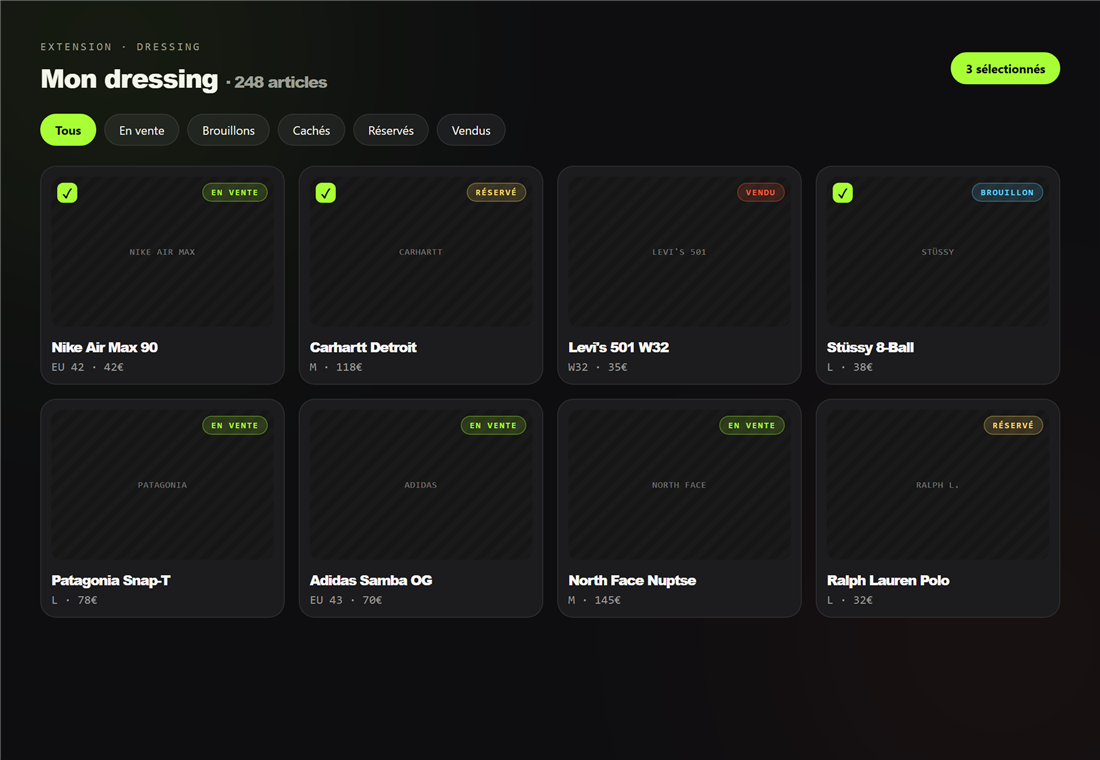
- Ouvrez l'onglet Dressing (extension ou dashboard).
- Filtrez par statut : tous, en vente, brouillons, cachés, réservés, vendus.
- Cochez un ou plusieurs articles pour activer les actions en masse.
Actions disponibles
- Basculer la visibilité (afficher / masquer).
- Éditer rapidement (titre, description, prix).
- Supprimer les articles sélectionnés.
Prêt à essayer ?
Installez Flipzer et automatisez vos ventes Vinted depuis votre navigateur.
Commencer gratuitement